Free Online Text Twist Solver
Stuck on a tricky round of Text Twist? Our Text Twist solver helps you unscramble letters and unscramble words in seconds. This free online tool works as a word unscrambler and letter unscrambler at the same time. Type in your jumbled letters, hit solve, and let the solver tool do the heavy lifting. Whether you're playing the classic game or just love word puzzles, this unscrambler gives you every possible answer instantly.
What Is a Text Twist Solver?
A Text Twist solver is a tool that turns scrambled letters into real words. Think of it as a mix between an anagram solver, an anagram generator, and a word finder. You type in a set of letters, and the Text Twist tool scans through thousands of letter combinations to find matches.
The original intent behind this Text Twist helper was simple: help players find words from letters faster than they could on their own. Over time, people started using it for more than just the game. Now it works as a general word finder by letters, an anagram finder, and even a scramble solver for other word games.
Here's what this solver can do:
- Generate words from letters of any length
- Find words from letters using letter permutations
- Solve word scrambles from Text Twist or similar apps
- Support wildcards and patterns for tricky rounds
- Scramble words online just to test your vocabulary
Under the hood, the tool works on a single string of input. It runs through possible word combinations and checks each one against a dictionary. This anagram scrambler method is fast, accurate, and works for short or long letter sets. Some people even compare it to a "twisted AI" or twister, but really, it's a straightforward technical method built to solve, not guess.
How to Use Our Text Twist Solver
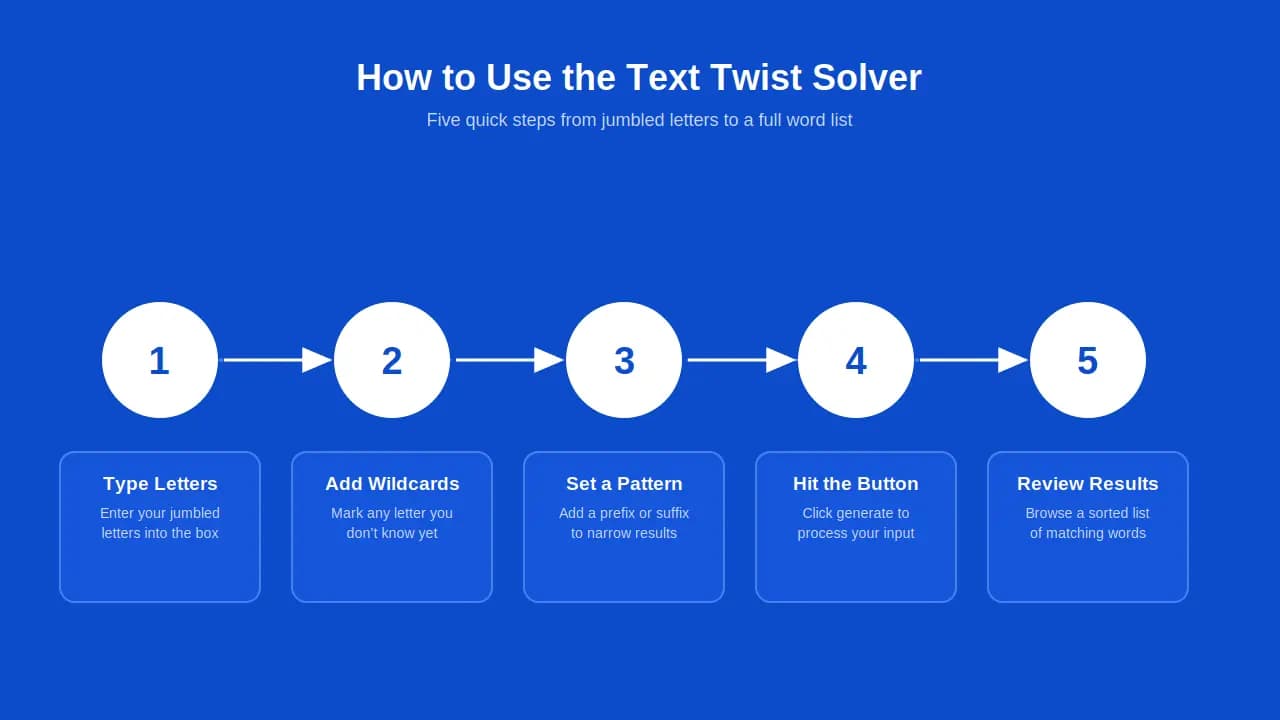
Using this Text Twist solver is easy. You don't need any special skills, just your jumbled letters and a few seconds.
Follow these steps:
- Type your letters. Enter your jumbled letters into the input field.
- Add wildcards if needed. Use a wildcard (like a blank tile or question mark) for any missing letter you don't know.
- Set a pattern. Add a prefix or suffix if you want the search term to match a specific letter sequence. You can prepend or append letters to narrow results.
- Hit the button. Click generate, and the solver will process your input.
- Review your results. The output will show every matching word, sorted and ready to browse.
The whole process takes seconds. You can clear the box with backspace or the clear button and start a new search anytime. Results appear in a complete list, sorted alphabetically, so it's easy to scan from shortest to longest word.
A few extra features make this even better:
- Max characters: The tool can handle up to twelve letters at once.
- Sort order: Results are shown in descending or ascending order, your choice.
- Selection tray: Keep track of the words you've already used from an uneven arrangement of tiles.
- Advanced options: Use marked wildcards for a random substituted letter when you're stuck.
This step-by-step guide keeps things quick and engaging. No need to spell out every answer yourself. The database does that work, so you can focus on the game.
Example Inputs & Solutions
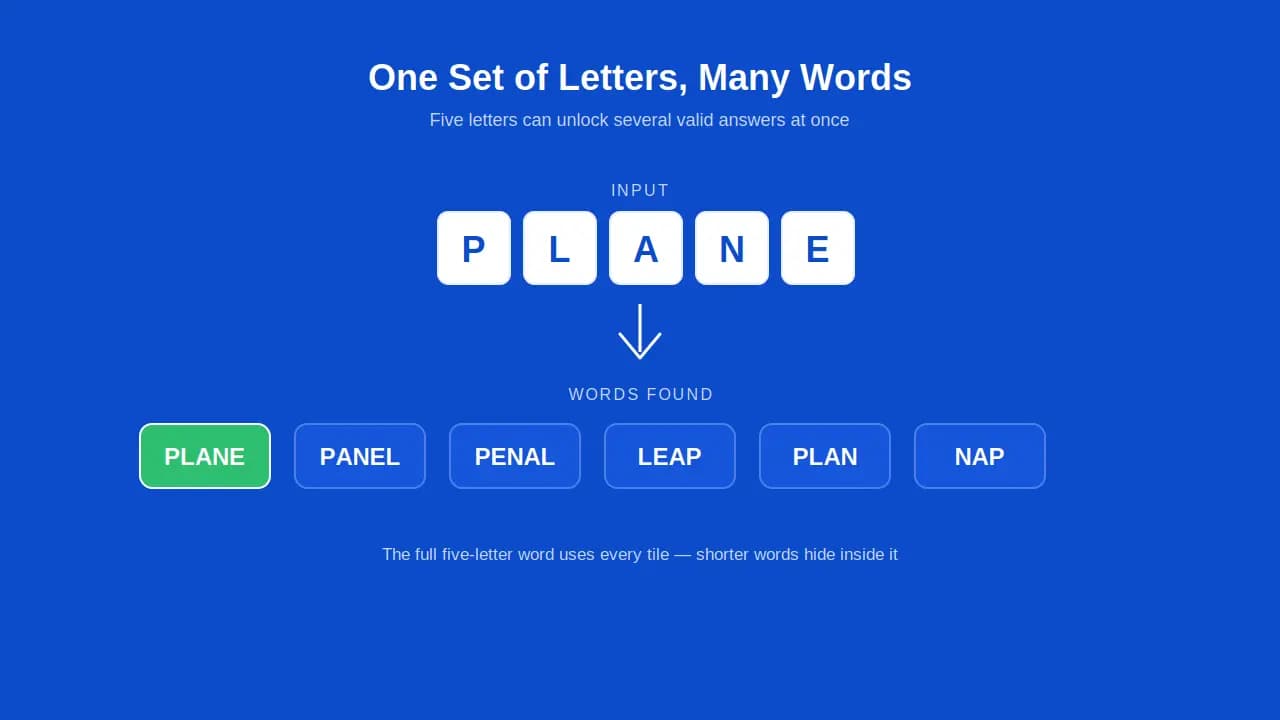
Seeing examples helps make sense of how the solver works. Below are sample scrambled letters and the valid words found for each. These cover different word lengths, from three-letter words up to six-letter words, plus a few plurals and word roots to show range.
Input: OT
Solved words: TO, OT
Input: TAP
Solved words: TAP, APT, PAT
Input: TEACHER
Solved words: TEACH, REACH, CHEAT, TEA, EAR, HEAT
Input: UNDERSTANDING
Solved words: UNDERSTAND, STANDING, GRIND, DINGS, NUDGE
Input: EXTRAORDINARILY
Solved words: TRAIL, RADIO, ORDINARY, TRAIN, RATIO
Input: LOVE
Solved words: LOVE, VOLE, OLE
Input: PLANE
Solved words: PLANE, PANEL, PENAL, LEAP, PLAN
Input: GARDEN
Solved words: GARDEN, RANGED, DANGER, GRAND, DEAR
Input: COMPUTERS
Solved words: COMPUTER, ROUTES, SPROUT, CUTE, STORE
These examples show how the shortest feature (two- or three-letter words) sits right alongside the full-length answer. Some words even work as palindromes when reversed, and plenty follow common patterns like adding "S" for plurals, or "ING," "ED," "ER," and "LY" as endings.
What Is Text Twist?
Text Twist is a classic word game that challenges players to build words from a set of scrambled letters. It's one of the oldest internet word games still played today. Originally a flash game, Text Twist has since spread to browsers, mobile apps, and offline word game formats.
At its core, Text Twist is a puzzle game built on wordplay. Each round gives you six letters, and your goal is to make as many valid words as possible before time runs out. It's part vocabulary game, part brain game, and part spelling game all rolled into one.
The game uses a cleaned dictionary, meaning it filters out obscure or invalid entries so every answer feels fair. That's part of why it became such a nostalgia game for players who grew up during the early internet era. It shares some DNA with other classics like Boggle, Jumble solver, Wordle solver, and cipher-based riddle puzzles, but its twist (literally) is in how the letters shuffle and rearrange with every round.
How Do You Play Text Twist?
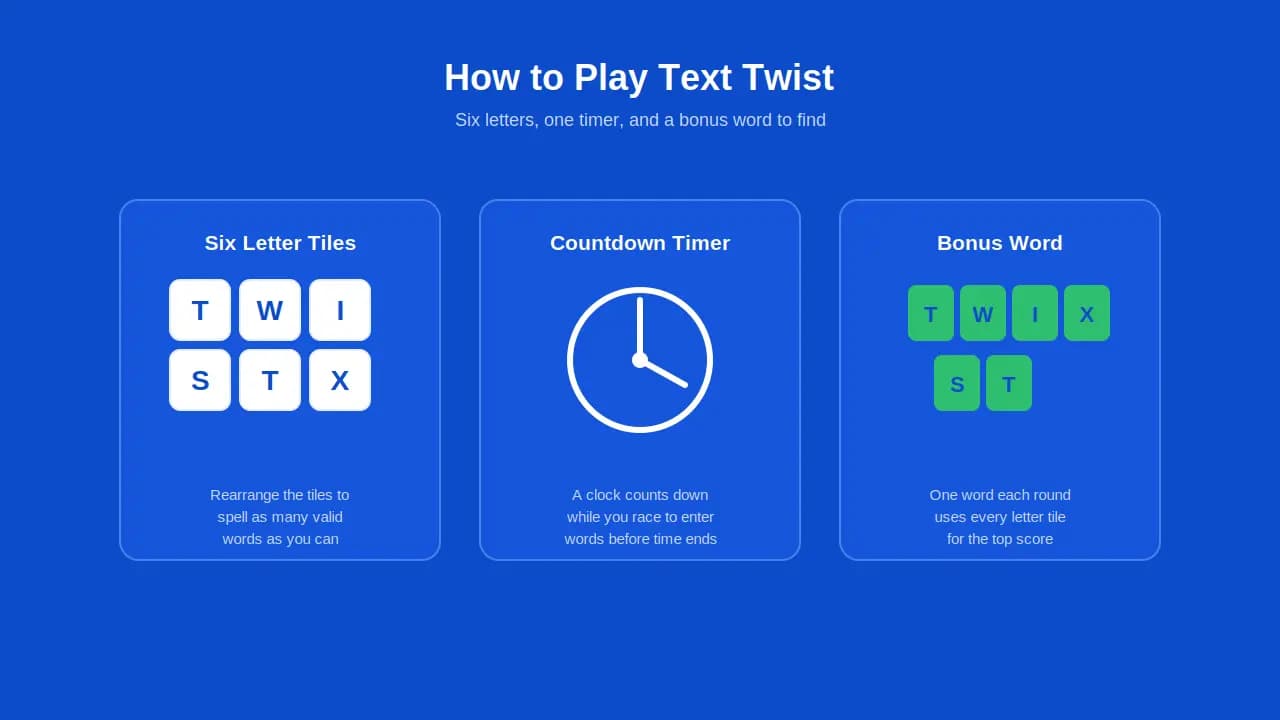
If you're new to Text Twist rules, here's the basic idea:
- You get a set of letter tiles, usually six.
- Rearrange the tiles to spell as many valid words as you can.
- Each round has one bonus word that uses all six letters.
- A timer counts down while you play.
- Points add up based on word length and difficulty level.
Here's what makes each round interesting:
| Feature | What It Means |
|---|---|
| Bonus round | Solve extra puzzles after finding the bonus word |
| Score | Points increase with longer words |
| Timer | Countdown clock adds pressure |
| Difficulty level | Increases as you progress |
| Daily puzzle challenge | New scrambles offered each day |
Text Twist tests word recognition and word matching skills. It's similar to solving a crossword solver, playing Scrabble solver, or using a Words with Friends solver. Some players also enjoy Wordscapes solver tools or a Jumble solver for the same kind of word decoder challenge.
The game can be timed or untimed, depending on the version. In timed mode, that real clock ticking adds a layer of strategic thinking. You have to work fast, shuffle tiles quickly, and rearrange letters before the countdown hits zero. If you get stuck, some versions let you skip to the next round instead of wasting time.
Tips & Strategies to Win at Text Twist
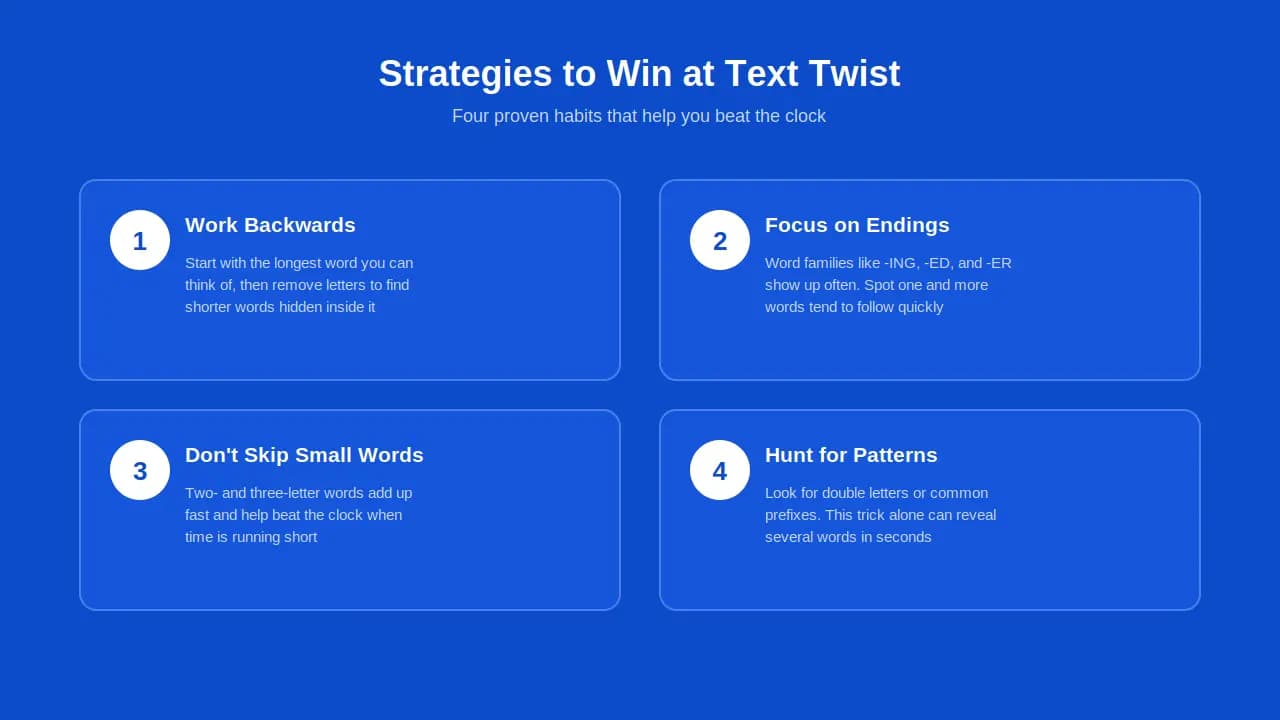
Want to get better at Text Twist? A few simple strategies go a long way.
1. Work backwards.
Start with the longest word you can think of, then remove letters to find shorter hidden words inside it.
2. Focus on common endings.
Word families like "-ING," "-ED," and "-ER" show up often. Once you spot one, more words tend to follow quickly.
3. Don't skip the small words.
It's tempting to hunt only for big, obvious answers. But two- and three-letter words add up fast and beat the clock when time is short.
4. Use pattern recognition.
Look for double letters or common prefixes. This trick alone can reveal several possible words in seconds.
5. Practice speed typing.
The faster you type, the more words you enter before time runs out. This matters most in timed rounds.
6. Know when to guess.
If you're stuck, try obscure or alternate spellings. Sometimes the "easiest" answer isn't the first one you think of.
Here's a quick strategy table:
| Strategy | Why It Works |
|---|---|
| Word families | Spot patterns fast |
| Small word focus | Builds score quickly |
| Backwards search | Reveals hidden shorter words |
| Speed typing | Maximizes entries before time ends |
| Pattern hunting | Finds double letters and combos |
Some players search for a Text Twist cheat or a cheat sheet when they're stuck. That's fair; it's part of the game's charge. But building your own skill with these strategies makes the win feel more valuable than any shortcut.
About Text Twist Games
Text Twist isn't just one game. It's grown into a small family of versions, each with its own modes and small differences. The publisher behind the classic addictive format expanded it over the years, and other companies picked up the idea too, creating their own variety of similar games inspired by the original.
The Text Twist Family of Games
Here's a quick look at the games in this space:
| Game | Notes |
|---|---|
| TextTwist 2 | Adds new features to the classic format |
| TextTwist Online | Browser-based version, no download needed |
| Word Twist | Common variant on social platforms |
| Daily Word Twist | New puzzle each day |
| Word Twist Unlimited | Play as many rounds as you want |
| Yahoo Games / GameHouse | Early hosts of the original game |
Other word games share a similar spirit, including Wordscapes solver, WordBrain, Boggle, and Jumble solver. They're not the same game, but they come from the same family tree of letter-based puzzles.
Game Modes Explained
Text Twist offers a few different modes to keep things fresh:
- Lightning mode: Fast rounds with less time per puzzle.
- Timed mode: Classic countdown pressure.
- Untimed mode: No clock, just relaxed play.
- Daily themes: Special grids tied to a specific day or topic.
Some versions come with enhanced graphics and smoother core gameplay, especially on mobile. As you move through levels, puzzles get more challenging, testing your skills further with each round.
Scoring System
The scoring system rewards longer words with more points. Some versions include bonus points for finding every word in a round, similar to a bingo rule in other word games. A few competitive formats even mimic an expert championship structure, with penalty deductions for skipped words. Scoring structures vary slightly between versions, but the core idea stays the same: longer words and full boards earn better scores.
Where to Play Text Twist Online
You can play Text Twist almost anywhere today. It works on phones, tablets, and desktop browsers, making it a fully mobile responsive game.
Here are common places to play:
- Browser: No download needed, just open the page and start.
- Mobile apps: Some versions offer a dedicated app for smartphones.
- Official pages: Bookmark these to unlock unscrambling puzzles daily.
- Printable worksheets: Great for offline studying or classroom use.
Teachers and group leaders sometimes use printable Text Twist worksheets as team building exercises or educational projects. These templates work well for practicing spelling in a classroom setting, similar to a crossword or acrostic activity.
Whether you play online or download a mobile app, remember to save your progress before you exit. That way, you can pick up right where you left off next time you navigate back to the game.
Brain & Vocabulary Benefits of Text Twist
Playing Text Twist regularly does more than pass the time. It's a fun way to give your brain a workout while boosting vocabulary at the same time.
Here's how it helps:
- Sharpens memory. Searching for words exercises cognitive memory skills.
- Builds vocabulary. You'll pick up new words and their meanings naturally.
- Improves problem-solving. Rearranging letters trains your brain to spot patterns quickly.
- Reduces stress. Focusing on a puzzle can feel like a small mental break, almost like a moment of zen.
Studies on word games suggest regular play may support brain health over time, though results vary by person. For kids, it builds early reading skills. For non-native speakers, it's a low-pressure way to grasp and absorb new vocabulary. Professionals and adults alike enjoy it as a quick mental challenge during a break.
Many players say that after just a few months of playing, they noticed sharper thinking and quicker word recall. That's not a guarantee, but it's a common and encouraging pattern among fans of the game. Family game nights, classroom breaks, or a few solo minutes with a Text Twist solver, all give your brain a light, enjoyable workout without much stress.
Explore Our Word Tools
Looking for specialized solvers? Check out our word tools below for every letter game:
FAQs
How Do You Fix Jumbled Letters?
To unscramble jumbled letters, enter them into a solver tool. The tool checks every combination and returns valid, unscrambled words instantly.
Is There a Text Twist Cheat?
Yes, many players use a Text Twist cheat sheet or solver method to find quick answers when they're stuck on a tough round.
What Is the 5-Letter Word Guessing Game?
This refers to games where you guess a five-letter word using the alphabet. Words with a mix of high consonants and vowels tend to be easier to guess.
Is There a Text Twist App?
Yes, some versions offer a mobile responsive app you can download for smartphones, so you can play on the go.
What Is the Longest Word in Text Twist?
The longest word in a round depends on the letters given. In most games, it's the hardest word for a player to find since it uses every tile.
Who Developed Text Twist?
Text Twist was published by GameHouse, and it also appeared on Yahoo Games during its early popularity.
Does This Work for Text Twist 2 and Super Text Twist?
Yes, this solver works for TextTwist 2, Super Text Twist, and Word Twist Unlimited formats as well.
What's the Difference Between Text Twist Versions?
Different versions offer different modes, like timed play, daily puzzles, or unlimited rounds. The core gameplay stays mostly the same across versions.
Can I Use This Solver on My Phone?
Yes, this tool works on phones, tablets, and any modern browser without needing extra downloads.
Are There Other Games Similar to Text Twist?
Yes, games like Wordscapes, WordBrain, Boggle, Jumble, and traditional crossword puzzles share a similar word-based format.
Can Playing Word Games Improve My IQ?
Word games can support cognitive memory and offer light mental challenges, which may help boost certain thinking skills over time.
Is This Text Twist Solver Free to Use?
Yes, this is a free online tool. There's no paid version required, though you may see occasional ads. The success rate for finding valid words stays high across most letter combinations.